


阅
计算机图形学笔记——光栅图(Raster Images)
前言
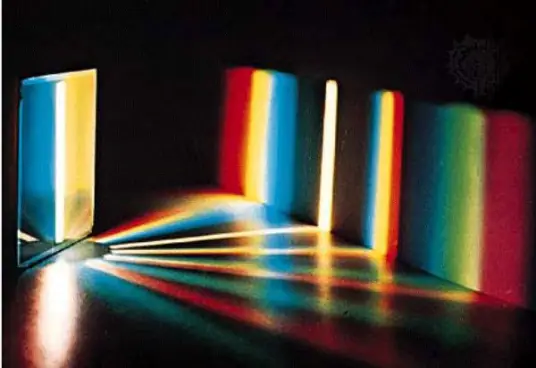
光栅图也叫做位图、点阵图、像素图,简单的说,就是最小单位由像素构成的图,只有点的信息,缩放时会失真。每个像素有自己的颜色,类似电脑里的图片都是像素图,你把它放很大就会看到点变成小色块了。
栅是格栅,就是纵横成排的小格,小格小到极至,就是点了。对于一个图像,人可以一眼就看明白。但是计算机要记录下来就要把这个图像分成一个个小格也就是点阵,点格栅分得越细,图像也就记录得越有细节。
光栅图也叫做位图、点阵图、像素图,简单的说,就是最小单位由像素构成的图‘只有点的信息。缩放时会失真。每个像素有自己的颜色,类似电脑里的图片都是像素图,你把它放很大就会看到点变成小色块了。这种格式的图适合存储图形不规则,而且颜色丰富没有规律的图,比如照相、扫描。 BMP,GIF,JPG等等.格式的文件。重现时,看图软件就根据文件里的点阵绘到屏幕上.或都打印出来
正题
不细讲了,直接附上代码
第一个是解光栅图的示例,也是ctf选手要积累的
from PIL import Image
import numpy as np

# 打开图像并转换为numpy数组
img = Image.open('grating.png')
img_array = np.array(img)

# 检查图像模式
if img.mode == 'L':  # 灰度图像
    for i in range(5):
        z = np.zeros_like(img_array)
        z[:, i::5] = img_array[:, i::5]
        Image.fromarray(z).show()
else:  # 彩色图像
    for i in range(5):
        z = np.zeros_like(img_array)
        z[:, i::5, :] = img_array[:, i::5, :]
        Image.fromarray(z).show()
第二个是加光栅图的示例
from PIL import Image
import numpy as np

# 打开非光栅图像并转换为numpy数组
# 请确保 `grating_line_0.png`, `grating_line_1.png`, `grating_line_2.png`, `grating_line_3.png`, `grating_line_4.png` 是你之前保存的图像部分
img_list = [Image.open(f'{i+1}.png') for i in range(5)]
img_array_list = [np.array(img) for img in img_list]

# 检查图像模式
if img_list[0].mode == 'L':  # 灰度图像
    height, width = img_array_list[0].shape
    img_array = np.zeros((height, width), dtype=np.uint8)
    for i in range(5):
        img_array[:, i::5] = img_array_list[i][:, i::5]
else:  # 彩色图像
    height, width, channels = img_array_list[0].shape
    img_array = np.zeros((height, width, channels), dtype=np.uint8)
    for i in range(5):
        img_array[:, i::5, :] = img_array_list[i][:, i::5, :]

# 将合并后的光栅图像转换为PIL图像并显示
result_img = Image.fromarray(img_array)
result_img.show()
# 保存光栅化图像
result_img.save('grating.png')
第三个是旋转性光栅图,旋转性是一个破坏性的过程(丢失了原始图像的一些细节),完全恢复原始图像可能会有一定的误差,下面给出示例代码和解码
import math
from PIL import Image, ImageDraw

def rotate(p, theta):
    x, y = p
    new_x = math.ceil(x * math.cos(theta) - y * math.sin(theta))
    new_y = math.ceil(x * math.sin(theta) + y * math.cos(theta))
    return (new_x, new_y)

def overlay_grating(img, shade, light, theta=0.0, color=0):
    img = img.convert('L')
    width, height = img.size
    draw = ImageDraw.Draw(img)

    def centered(p):
        x, y = p
        return (x - width // 2, y - height // 2)

    def uncentered(p):
        x, y = p
        return (x + width // 2, y + height // 2)

    def stretch(p):
        x, y = p
        if width > height:
            return (x, math.ceil(y * width / height))
        else:
            return (math.ceil(x * height / width), y)

    for i in range(0, width, shade + light):
        start = uncentered(rotate(stretch(centered((i, 0))), theta))
        end = uncentered(rotate(stretch(centered((i, height))), theta))
        draw.line((start, end), color, shade)

    return img

# 示例使用
if __name__ == "__main__":
    img_path = '1.png'  # 替换为你的图像路径
    img = Image.open(img_path)

    # 叠加条纹
    shade = 5    # 阴影部分的宽度
    light = 25    # 亮部分的宽度
    theta = math.radians(60)  # 旋转角度 45 度
    color = 0     # 条纹颜色(灰度图像,0为黑色)

    result_img = overlay_grating(img, shade, light, theta, color)
    result_img.show()  # 显示结果图像
    result_img.save('grating_overlay.png')  # 保存结果图像
import math
from PIL import Image, ImageDraw, ImageOps

def rotate(p, theta):
    x, y = p
    new_x = math.ceil(x * math.cos(theta) - y * math.sin(theta))
    new_y = math.ceil(x * math.sin(theta) + y * math.cos(theta))
    return (new_x, new_y)

def create_mask(width, height, shade, light, theta):
    mask = Image.new('L', (width, height), 255)
    draw = ImageDraw.Draw(mask)

    def centered(p):
        x, y = p
        return (x - width // 2, y - height // 2)

    def uncentered(p):
        x, y = p
        return (x + width // 2, y + height // 2)

    def stretch(p):
        x, y = p
        if width > height:
            return (x, math.ceil(y * width / height))
        else:
            return (math.ceil(x * height / width), y)

    for i in range(0, width, shade + light):
        start = uncentered(rotate(stretch(centered((i, 0))), theta))
        end = uncentered(rotate(stretch(centered((i, height))), theta))
        draw.line((start, end), 0, shade)  # Draw the shadow part in black

    return mask

def remove_grating(img, shade, light, theta):
    width, height = img.size
    mask = create_mask(width, height, shade, light, theta)
    img = img.convert('L')  # Ensure image is in grayscale
    restored_img = ImageOps.autocontrast(Image.composite(img, Image.new('L', img.size, 255), mask))
    return restored_img

# 示例使用
if __name__ == "__main__":
    img_path = 'grating_overlay.png'  # 替换为你要恢复的图像路径
    img = Image.open(img_path)

    # 参数与叠加条纹时保持一致
    shade = 10
    light = 20
    theta = math.radians(0)

    restored_img = remove_grating(img, shade, light, theta)
    restored_img.show()  # 显示恢复后的图像
    restored_img.save('restored_image.png')  # 保存恢复后的图像
当然,对于CTF比赛,有一把梭光栅图的工具。光栅图听起来高大上,其实也不过是像素的改变与转换罢了,只要掌握原理,这种题相信难不倒你
工具地址:https://gitee.com/AabyssZG/Raster-Terminator
参考资料:https://baike.baidu.com/item/%E5%85%89%E6%A0%85%E5%9B%BE%E5%83%8F/7938088